Designing Effective Slides
Allan Gaw
A study guide built around five ingredients of a slide: style, words, images, palette and extras. It argues for each choice instead of listing rules, so you finish knowing why a slide works and not only what to click.
Loading the book...
Keep reading
-
Next in this topic
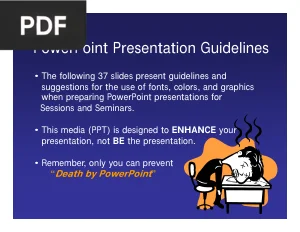
PowerPoint Presentation GuidelinesThirty seven slides of guidelines on fonts, colour and graphics for people preparing talks for sessions and seminars. The deck demonstrates its own advice, which makes the difference between a supporting slide and a replacement for the speaker easy to see.
Verified PDF · Secure download - PowerPoint: The End of Boring
A short set of design tips built around one question: who is your audience? It covers pacing, visual consistency, how much text a slide can carry, and using graphics so the deck reinforces the speaker instead of competing with them.
Verified PDF · Secure download - Animate, Add Sound and Media to Microsoft PowerPoint
Focused on the parts of PowerPoint that move and make noise. It covers layouts and themes first, then walks through animating objects, controlling timing, and embedding audio and video into a deck.
Verified PDF · Secure download - Intermediate Microsoft PowerPoint
Picks up where a basics class ends. It covers custom effects on slide elements plus tables, charts, diagrams, motion clips, sound clips and hyperlinks, along with headers, footers and slide numbers.
Verified PDF · Secure download - Animating an Element in PowerPoint
A step by step tutorial that builds a single animation starting from an empty slide. It covers animating images, shapes, text boxes and individual segments of text, with the animation pane and the effect options explained along the way.
Verified PDF · Secure download