Adobe Photoshop CS Tutorial
Hong Kong Institute of Vocational Education
A step by step tutorial that introduces the Photoshop workspace, document setup, and the essential tools for editing images. Clear instructions make it easy to follow along at your own pace.
Loading the book...
Keep reading
-
Next in this topic
Photoshop Basics Quick Reference GuideA visual quick reference that shows you exactly where to click for everyday tasks like opening a canvas, using the move tool, and working with layers. Each step pairs an action with what you see on screen.
Verified PDF · Secure download - Adobe Photoshop for Intermediate Users
A complete guide for users ready to move beyond the basics, covering Camera Raw, Smart Objects, layer styles, masks, the cloning and healing tools, and the Filter Gallery. A practical path from confident beginner to capable editor.
Verified PDF · Secure download - Shortcut Tables
Printable tables listing nearly every keyboard shortcut for Photoshop, Camera Raw, and Bridge. Keep it beside your computer to work faster and learn the shortcuts the pros use.
Verified PDF · Secure download - Image Editing With Photoshop
A workshop style overview of Photoshop as a raster editor, from starting a new project to using the basic tools and saving your work. A solid foundation for anyone editing photos for the first time.
Verified PDF · Secure download - 3 Techniques to Remove Background in Photoshop
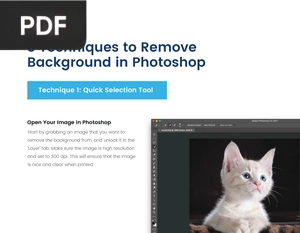
Three clear methods for removing the background from an image, including the Quick Selection tool and other selection techniques. Useful for product shots, portraits, and clean cutouts.
Verified PDF · Secure download